Flight log and squawks
Log the route, flight and tach times, oil added and squawks after landing. Hours move forward, top-ups are recorded and squawks go on the open list. In a partnership, everyone logs their own.
How it works
Photograph the pages and check each entry. From there, Flyover MX keeps what’s due, what it costs and how your engine is doing up to date.
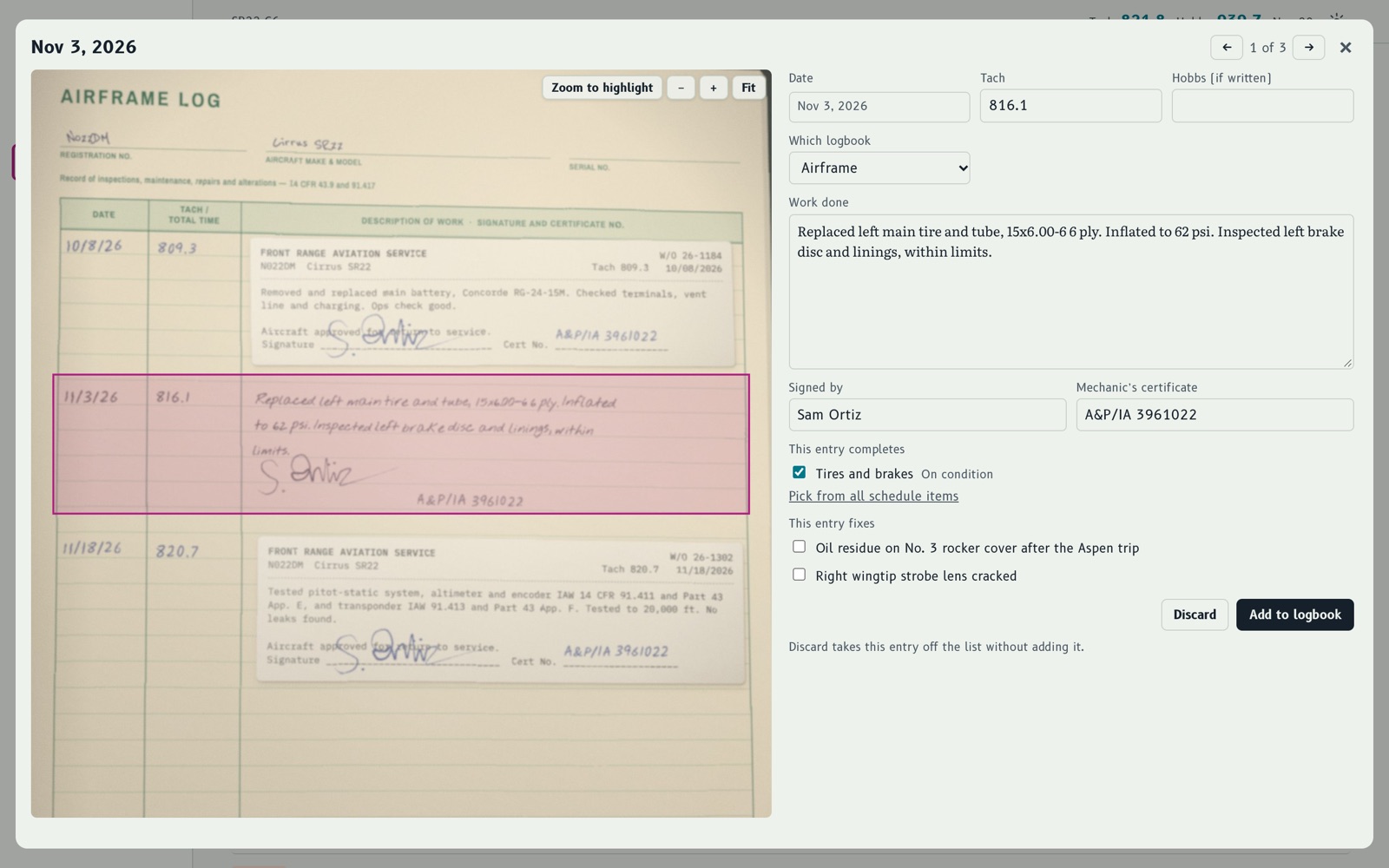
AI pulls out each entry’s date, hours, work done, signer and the items it completes. Nothing is saved until you check it beside the zoomed photo, and you can always type an entry in.
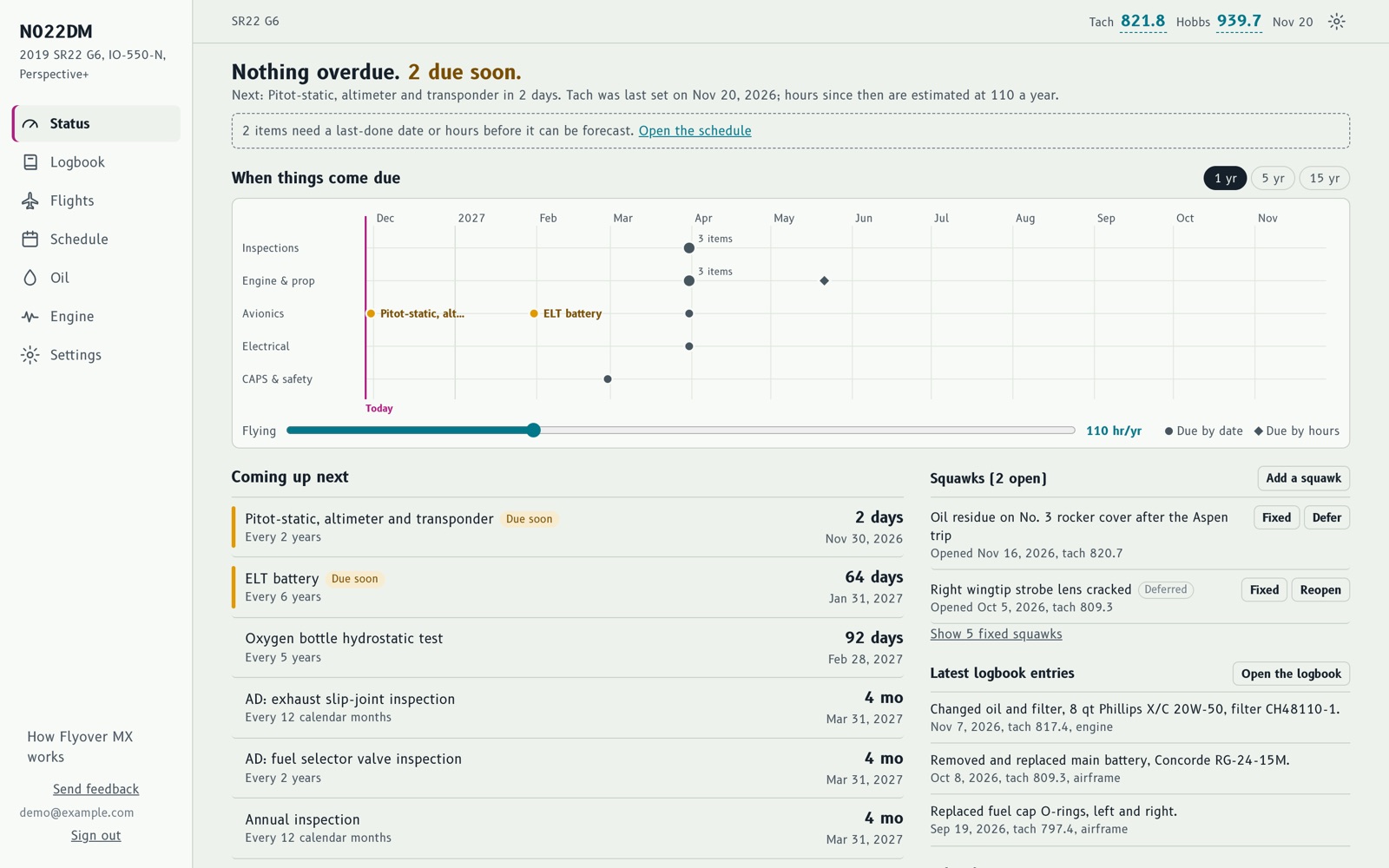
Inspections, ADs and life-limited parts are tracked by calendar, with end-of-month rules, and by hours, whichever comes first. Hours are projected from how much you fly, 1, 5 or 15 years ahead, and gaps in your records are flagged. Costs are forecast by year for 15 years against your monthly reserve.
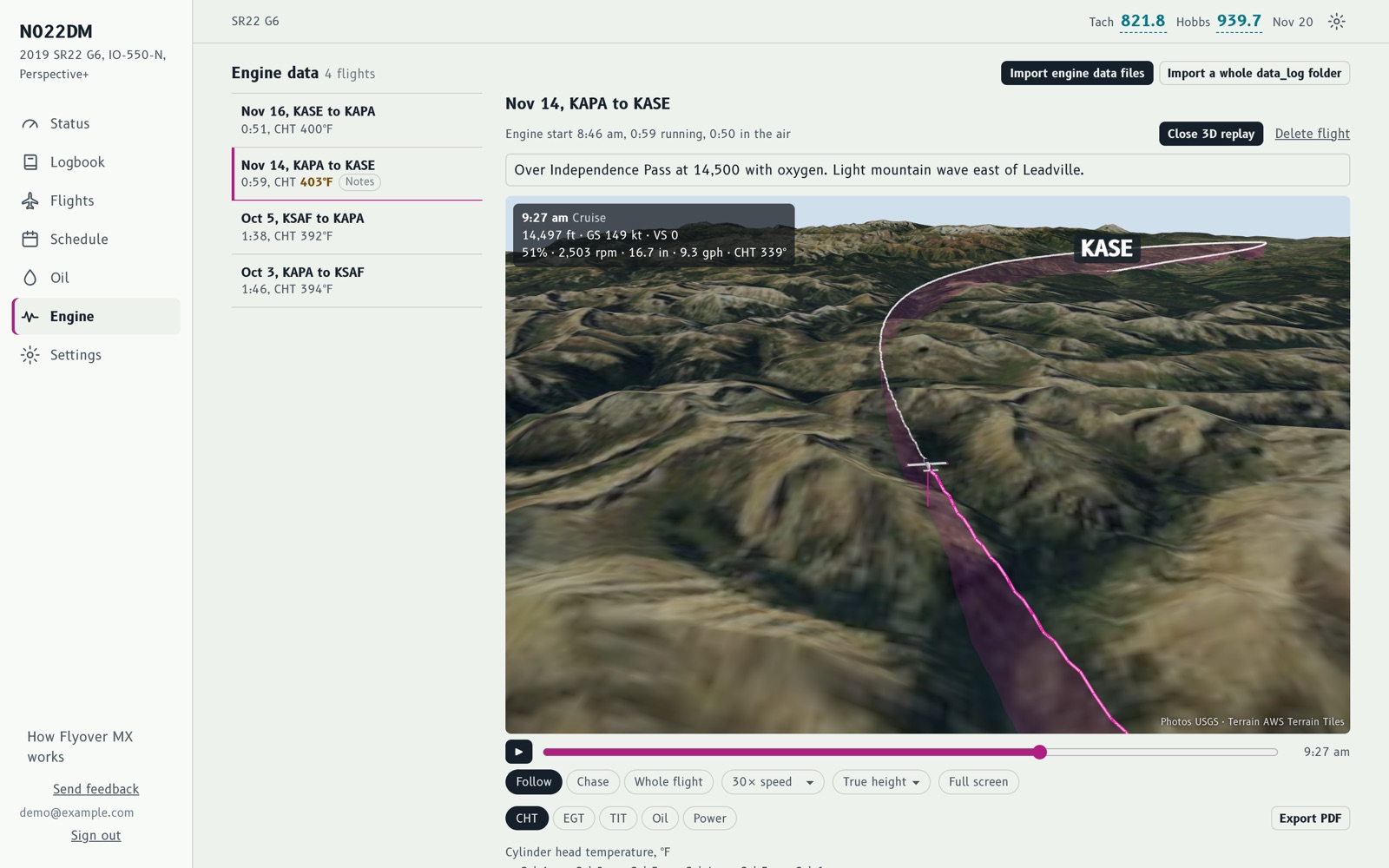
Load your engine monitor’s SD card files in the browser, Garmin Perspective today with others planned. Each flight gets CHT, EGT, TIT, oil and power charts against your limits, automated findings, trends across flights, a printable PDF report and a 3D replay over real terrain, synced with the charts.
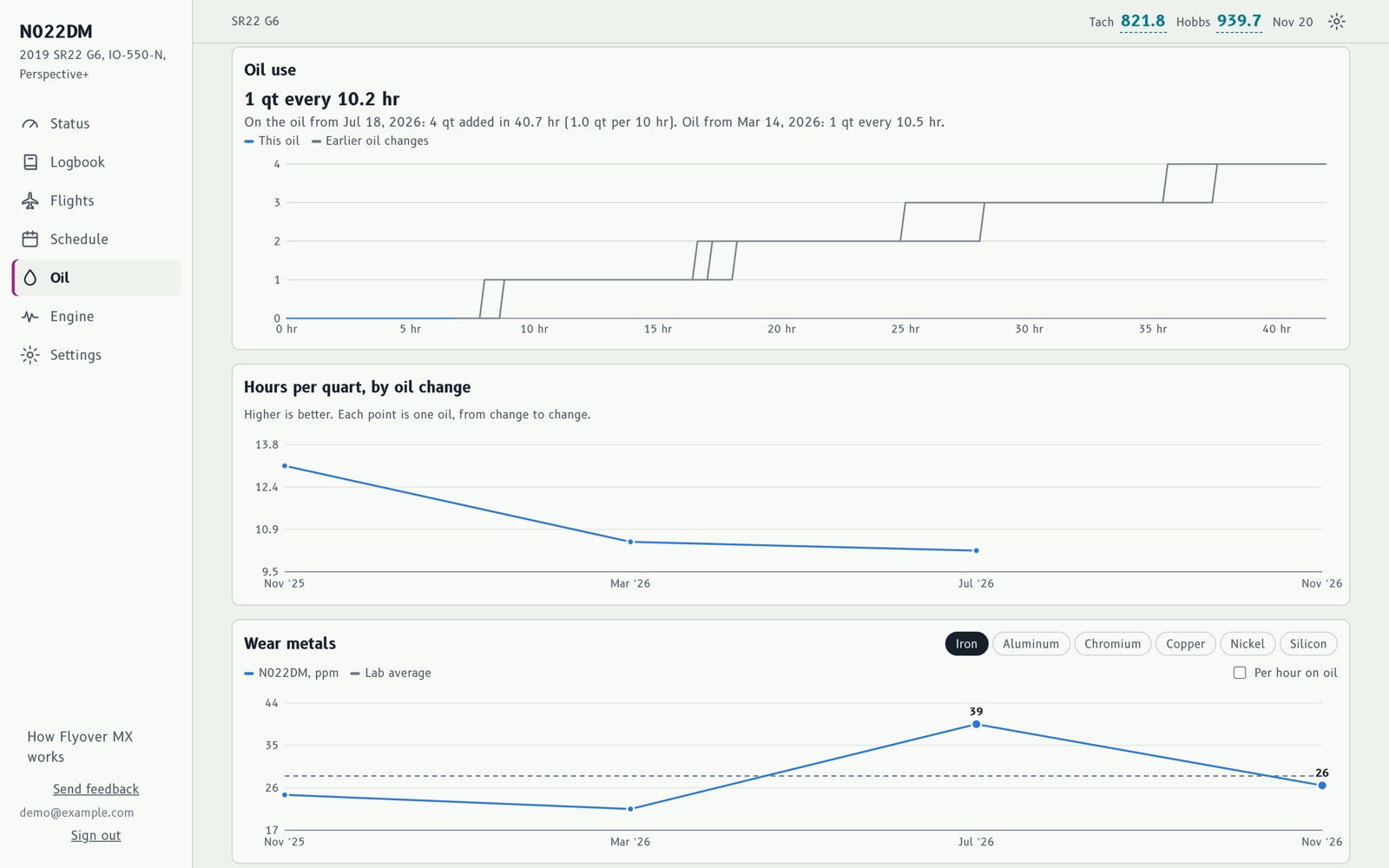
Track oil changes, top-ups and hours per quart. Upload a lab report PDF and every sample column is read in, with wear metals charted against the lab’s averages.
Log the route, flight and tach times, oil added and squawks after landing. Hours move forward, top-ups are recorded and squawks go on the open list. In a partnership, everyone logs their own.
Invite partners, your mechanic or a buyer, free, as owners, editors or read-only viewers. A buyer sees records, due items and gaps without the paper logbooks.
30 days free, no card.